Exercises
Here you'll find a few exercises we'll be going through during the course. I'll be adding more as we go along, so stay tuned!
Test: Link
20' + 10'
Download
1. Create an empty HTML document
2. Link the provided CSS file
3. Add some placeholder text
4. In it, add a link to the any website
5. Change its look and behaviour:
  - Opens in a new tab
  - Same text colour as the paragraph
  - Underlined
  - Make something happen on hover
Test: Title card
20' + 10'
Download
1. Create an empty HTML document
2. Link the provided CSS file
3. At the center of the screen, add a info card:
  - Content: image, title and some text
  - Borders of your choice
  - Rounded corners
  - Make something happen on hover
HTML: Guessing semantics
20' + 10'
Download
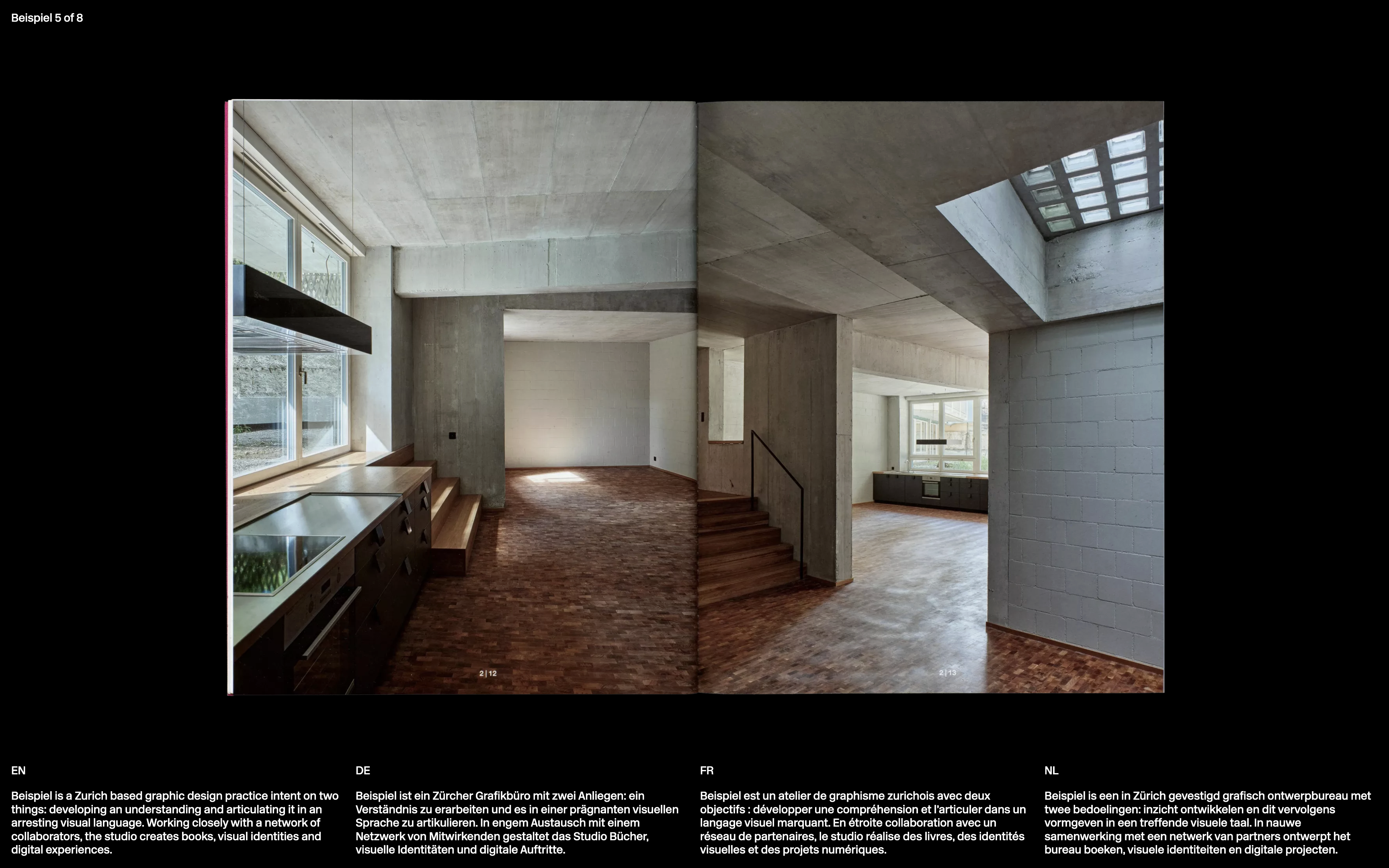
1. Structure the content of the reference page using semanticaly meaningful HTML tags and attributes
  - You can find the text and image in the assets folder
  - The page doesn't need to be styled

+ Some context:
- The name of the page is "Beispiel"
- The page contains multiple languages: English (EN), German (DE), French (FR), and Dutch (NL)
CSS: Styling basics
20' + 10'
Download

1. Link the provided CSS file
2. Style the website to look like the reference image
  - The font size is 14px (.875rem)
  - The line height is 16.8px (120%)
  - The background colour is black
  - The text colour is white
  - The page has a padding of 14px
  - Each major section is seperated by a 14px gap
  - The language indicators are 14px above the text
  - The texts are seperated by a 14px gap

+ Hints:
- Some properties have been prefilled for you, keep them as they are.
- The body and footer are displayed in a grid, try to see if you can style them.
CSS: Displays
30' + 15'
Download

Choose one of the compositions of the reference image and recreate it using the CSS display property.

+ Hints:
  - The children of the exercise a have a height of 200px.
  - Each child contains value used for its styling.
Type: Specimen sheet
25' + 10'
Download
Imagine a design based on the HTML structure and CSS variables below.

- Link the bold and italic cuts
- Make the H1 scale as the viewport changes
- Feel free to modify the HTML structure
- Use the CSS variables to change the design
- Find out how to break the text into columns

! Info
#character-detail reflects the last hovered character of the list
JS: Layout toggle
25' + 10'
Download
1. Link this file from the HTML so it actually runs
2. Every three seconds, close all articles and open the next in line

+ Hints:
- The modulo operator is useful for cycling through the articles
- If the script is loaded too early, it will not find the elements